Everything
around the game.
One library across Steam, Epic and the games no launcher owns. Instant Replay, party voice and an overlay that never touches your game. Native, local‑first, and honest about what it can actually measure.
73.2 MB · installs without administrator · no account, ever
Your games.
Not your launchers.
Steam and Epic on one shelf, with the games no launcher owns beside them. Search once, across all of it.
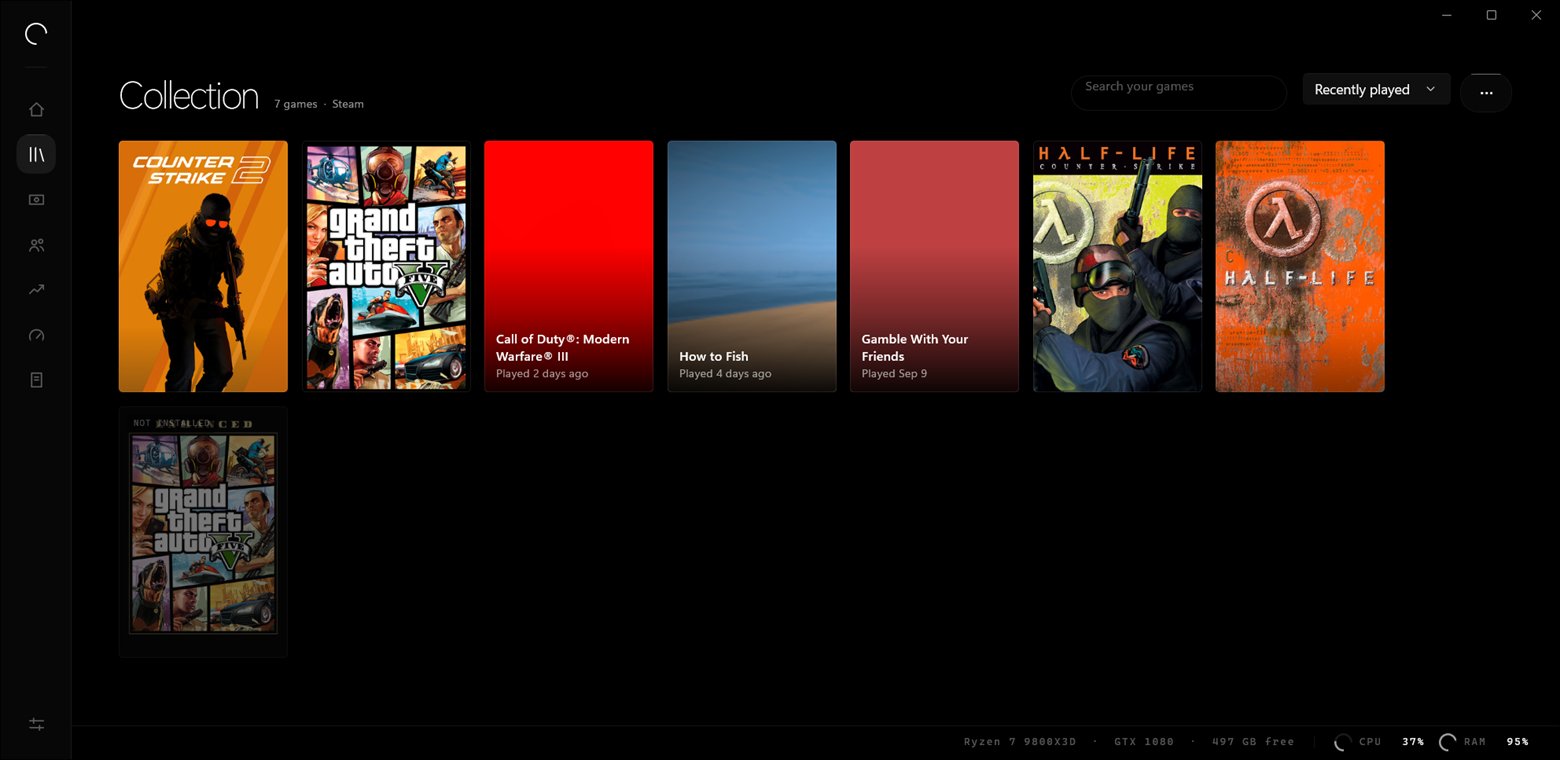
Own it twice, see it once
A game you have on two platforms is one cover, marked. Launchena merges two installs only when the names match exactly and the executable or the install size agrees — a duplicate cover is a small annoyance, a wrong merge hides a game you own.
Games no launcher owns
An emulator, an itch.io download, an old disc install. Point at the program file and it joins the shelf properly — sessions, playtime, Instant Replay and the overlay all work, because nothing between the file picker and the overlay treats it differently.
It notices
Install a game while Launchena is open and the cover appears a few seconds later. Nothing polls your launcher's files; Windows tells it, or it waits.
The last thirty seconds,
always.
Instant Replay sits armed on the GPU's own encoder. Something happens, you press a key, and the half-minute you just played is a file.
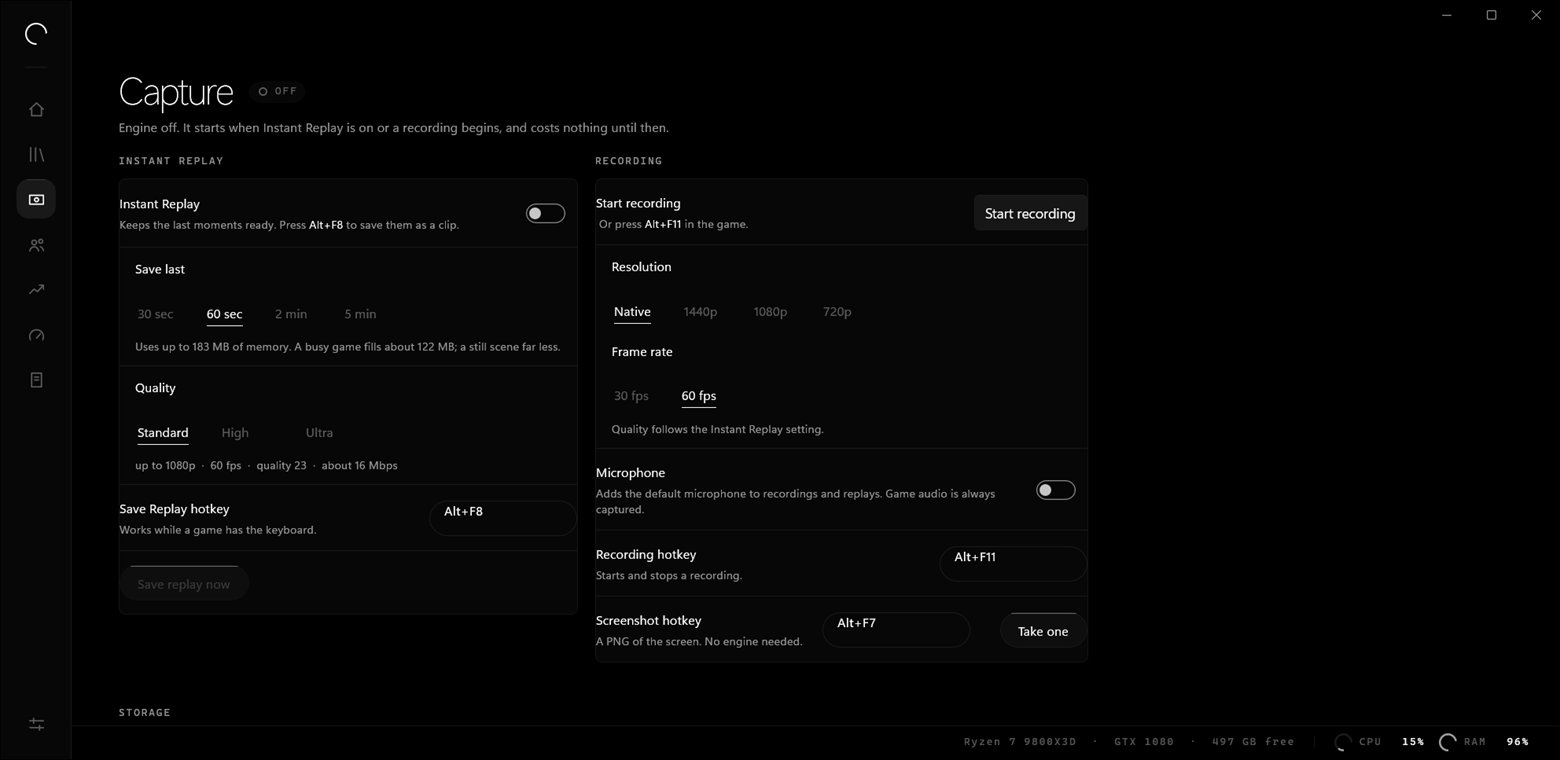
The same engine, none of the setup
Game capture hooks the game the way OBS does and encodes on the GPU. You do not have to build a scene before it will record what you are playing — Studio is there when you want one, not before.
A fault in a codec is not a crash
The encoder runs in a separate process. If something inside it falls over, it falls over on its own — the launcher, your session and your library are untouched.
Filed under the game you were in
Every screenshot and clip is attached to the game that was running, so it is findable a month later without you having named anything.
Go live without
opening OBS.
Scenes, layers and a switch that lands the instant you press it. The same libobs that already records your games composes them too, in the process that was running anyway.
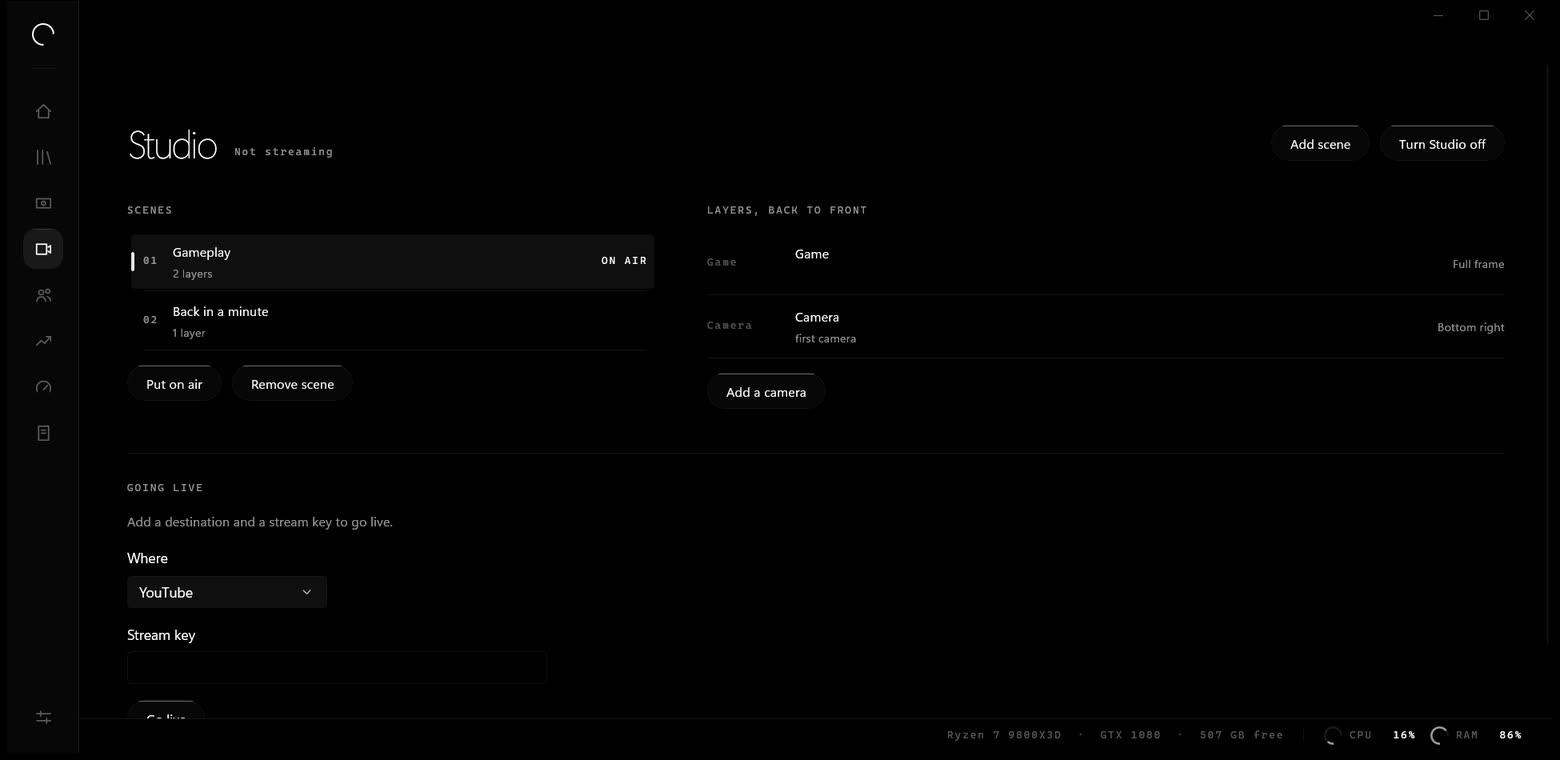
A scene is a list of layers
The game, a monitor, a window, a camera, a picture, text, a flat colour. Drawn back to front. No browser source — Launchena does not ship Chromium, and that rule does not get an exception for its own overlays.
Placed in fractions, not pixels
A scene composed for 1080p puts the camera in the same corner when it goes out at 720p, and is still right after you change your recording resolution.
The switch is already built
Every source in every scene is live the whole time, so going to another one costs nothing. Opening a camera takes a moment; doing it when you press the key is how a switch becomes a black frame.
Streaming is nearly free
The stream shares the recording encoders, so the picture is encoded once and sent to both. Twitch, YouTube, or any RTMP address you type.
Dropped frames, first
The only number a viewer can actually see is the one every other launcher buries under a green tick. It is a count and a percentage, on the page, while you are live.
Your key is a password
Stored once, on your machine, the same place OBS keeps it. Never in a log, never in a diagnostics report. What gets written down is Twitch, 43 character key — never the key.
Talk to three people.
And nobody else.
Opus over WebRTC, straight between you, encrypted end to end. Nothing is recorded and nothing reaches a server — the only thing our host does is introduce you to each other.
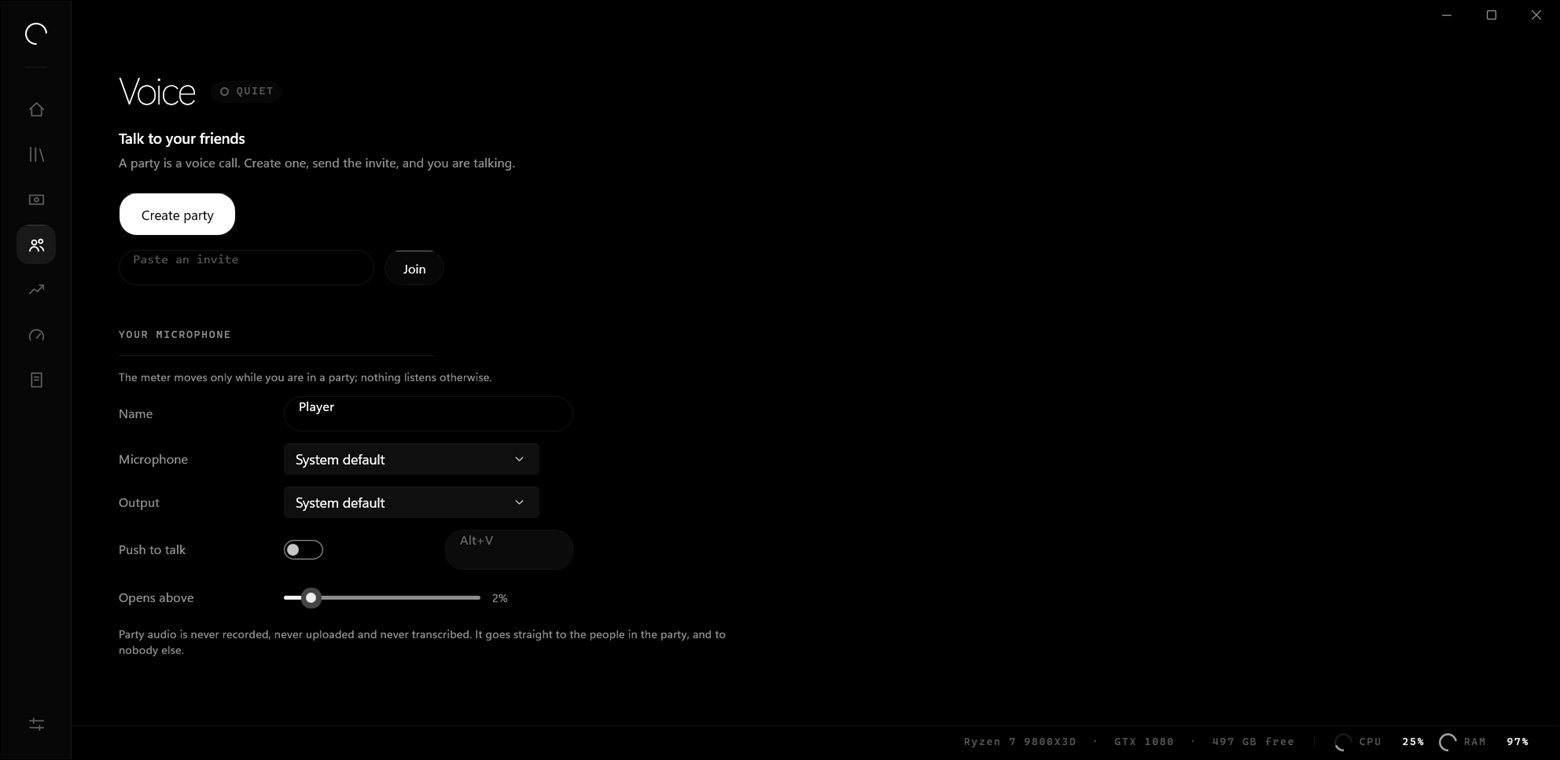
An overlay that never touches your game
No DLL injection. No graphics hooks. No reading another process's memory. It is an ordinary layered window that watches the game through an event hook running in our process.
Which is the part that matters
No code of ours is ever loaded into your game, which is what anti-cheat actually cares about. It has not yet been run against EAC, BattlEye or Vanguard, and nothing here claims otherwise.
Mute, volume and a replay, one key away
Per-person volume, push-to-talk and the last thirty seconds saved, without leaving the match.
It holds the background back.
Then gives every bit of it back.
While a game is running, the programs that are not your game get moved into a corner of the processor and told to wait. When you stop, every one of them goes back exactly as it was found.
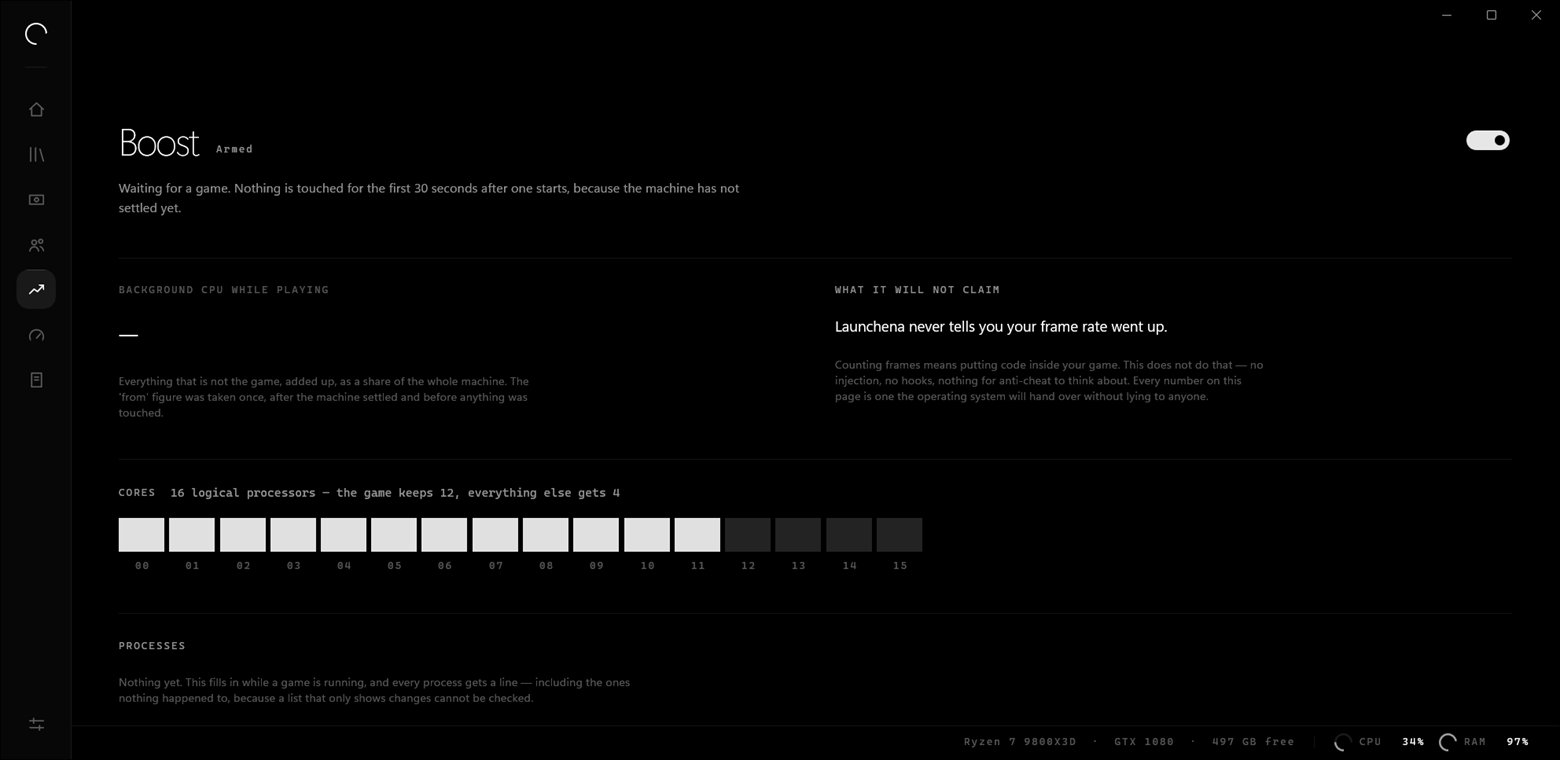
Launchena will never tell you your frame rate went up.
Counting frames means putting code inside your game — a hook, something in the present chain, something for anti-cheat to have an opinion about. We do not do that.
So it shows the figures Windows will vouch for instead: what everything other than your game was taking before anything was touched, and what it is taking now. The "before" is measured once, after the machine settles and before the first change — anything measured later has already been affected by the thing it is meant to be measuring.
The game is never restricted
It is raised one priority class and keeps every core it started with. A game that wanted sixteen threads and got twelve is slower — and the tool that did it would be the last thing you suspected.
Nothing is suspended or closed
A program that is held back is still running and still has your work in it. Security, audio and display drivers are never touched at all, whatever they cost.
No driver. No service. No registry
Priorities and cores are properties of a running process, not settings. Launchena never runs as administrator, and a reboot leaves no trace it was ever on.
It all stays here.
No account. No sign-in. No telemetry, no crash upload, no analytics. Here is everything Launchena keeps and where it keeps it.
| What it keeps | Leaves your PC |
|---|---|
| Your game list and install paths | no |
| Play sessions and playtime | no |
| Settings | no |
| Hardware readings | no |
| Cover art, once cached | no |
| Screenshots and recordings | no |
| Party audio | no |
| Logs | no |
| A diagnostics report | only if you send it |
| Every outbound request, in full | When |
|---|---|
| Cover art from Steam's and Epic's public CDNs | a game has art you have not cached |
| The signed update manifest | on a schedule you can switch off |
| Signalling, then audio straight to your party | only while a party is running |
| OBS's own game-compatibility list | only while capture is running |
That is the complete list. Requests carry a Launchena/0.1 user agent and nothing else — no identifier, no account, nothing that says which machine asked.
Measured, not claimed.
Every figure here came off the machine this was built on, and every one of them is reproduced by a script in the repository.
Native, not a browser in a coat
WinUI 3 and C#. No Electron, no Chromium, no web view pretending to be an application.
It never asks for administrator
Not on install, not at runtime, not for Boost. Nothing it does needs rights you would have to think about giving it.
Updates are signed
A manifest whose signature does not verify against the key inside the app is rejected before anything is downloaded, and a download whose hash does not match is deleted.
What isn't finished.
It says alpha because it is. This is the whole list, not the flattering half of it.
- Signing
The installer is not code-signed yet. Windows SmartScreen will warn you the first time you run it. The signing pipeline is built and proven with a test certificate; it needs a real one.
- Stores
EA, Ubisoft Connect and GOG are not in yet. None of the three is installed on the machine this is built on, and a store integration written from documentation and never run against a real install is a guess that compiles.
- Studio
No Launchena stream has been watched arriving on Twitch. Scenes, transitions and the RTMP output are built and proved as far as libobs accepting them — nobody here has an account to point one at. Studio also has no preview window, no filters, and no audio mixer beyond a volume and a mute per layer.
- Voice
Party voice has never run between two physical machines. It works between processes across a real network path here, but until it has been tested PC to PC, nothing claims it handles every router.
- Overlay
Untested with anti-cheat running, and in exclusive fullscreen it will not appear. Nothing it does is the kind of thing anti-cheat objects to, but it has not been run against EAC, BattlEye or Vanguard — and no supported Windows API puts a window over an exclusive-fullscreen display.
Try it.
Windows 10 (2004) or newer, 64-bit. It installs for your user in a few seconds with the .NET runtime inside, so there is nothing else to install.
0.1.0-alpha.9 · 76,752,324 bytes · SHA-256
bbc74e1a26784fa3d56d61d1f812286b57d209bac41fff5096584d5202a327ec